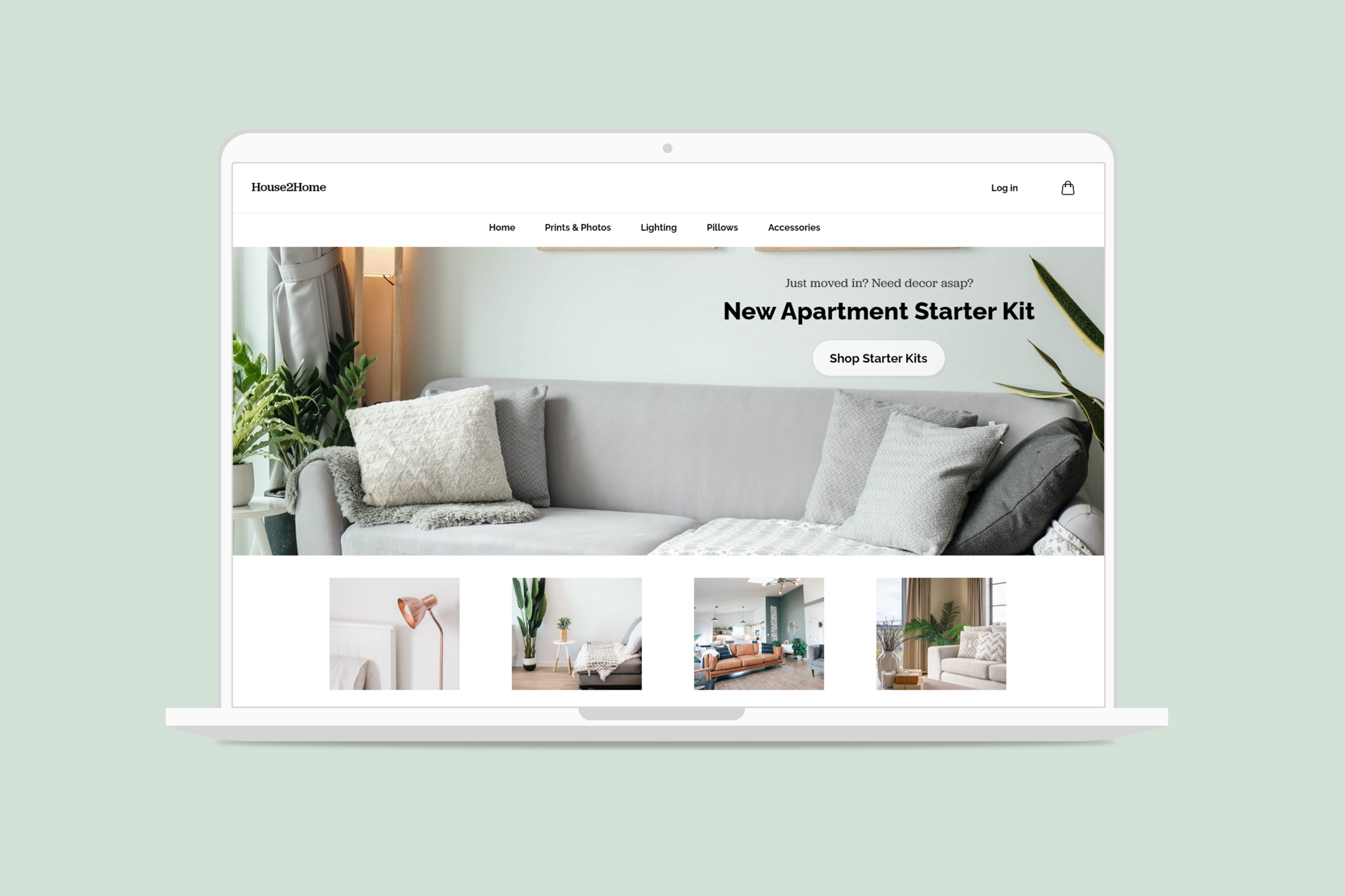
House2Home Website Starter Kits
My Role: UX Designer performing a solo modified GV Design Sprint.
Overview
House2Home is a startup that wants to offer starter kits to people who just moved into their apartment and want to find the best way to present that option on their website. The goal is to help users find a kit within their preferences and give them confidence it will work with their existing decor.
Problem
Users who have just moved into their new apartment want to decorate, but have some unique constraints. Most users are clear on the style they are looking for, but have trouble recreating that style with their existing items and new space. Because their budget is a major restriction, they hesitate on purchasing large or expensive pieces. This leads to feeling overwhelmed and putting off the project leaving their home looking empty.
DESIGN SPRINT DAY 1 - MAP
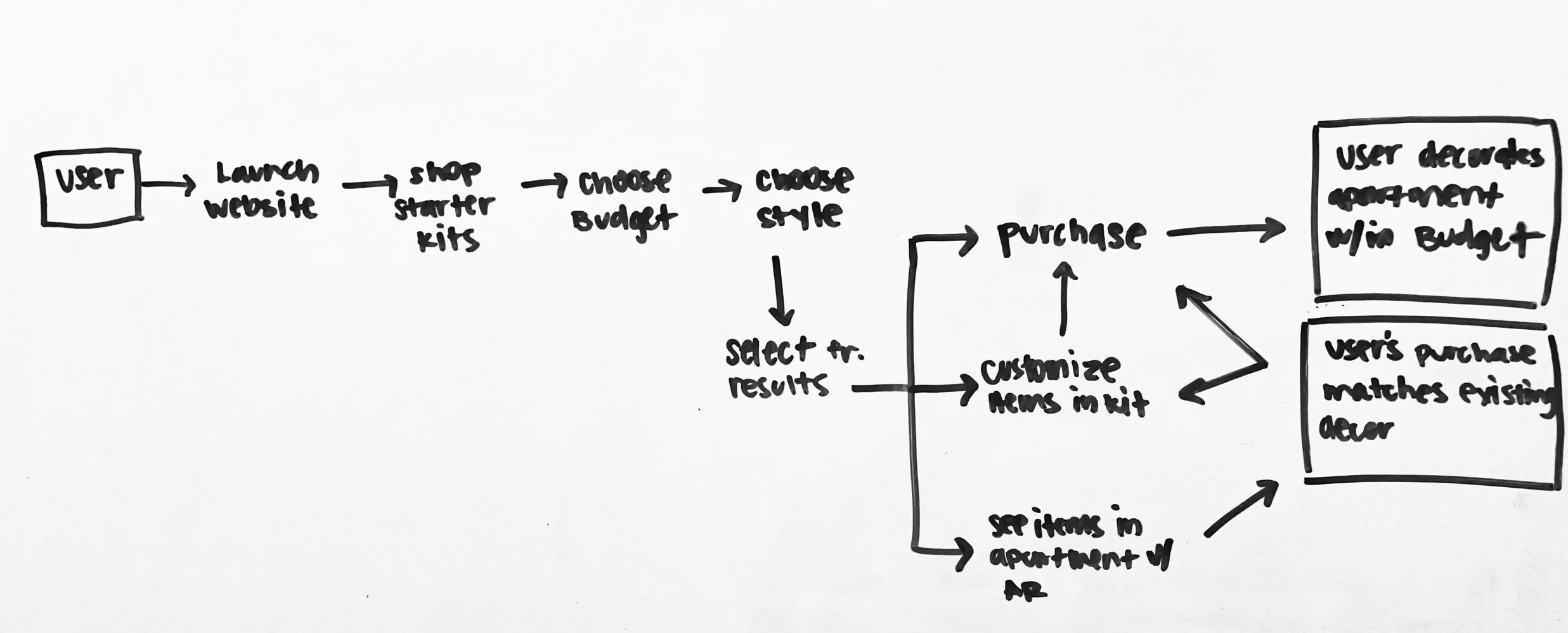
User Map
I identified two main goals:
User decorates their apartment within their budget
User’s purchase matches their existing decor
DESIGN SPRINT DAY 2 - SKETCH
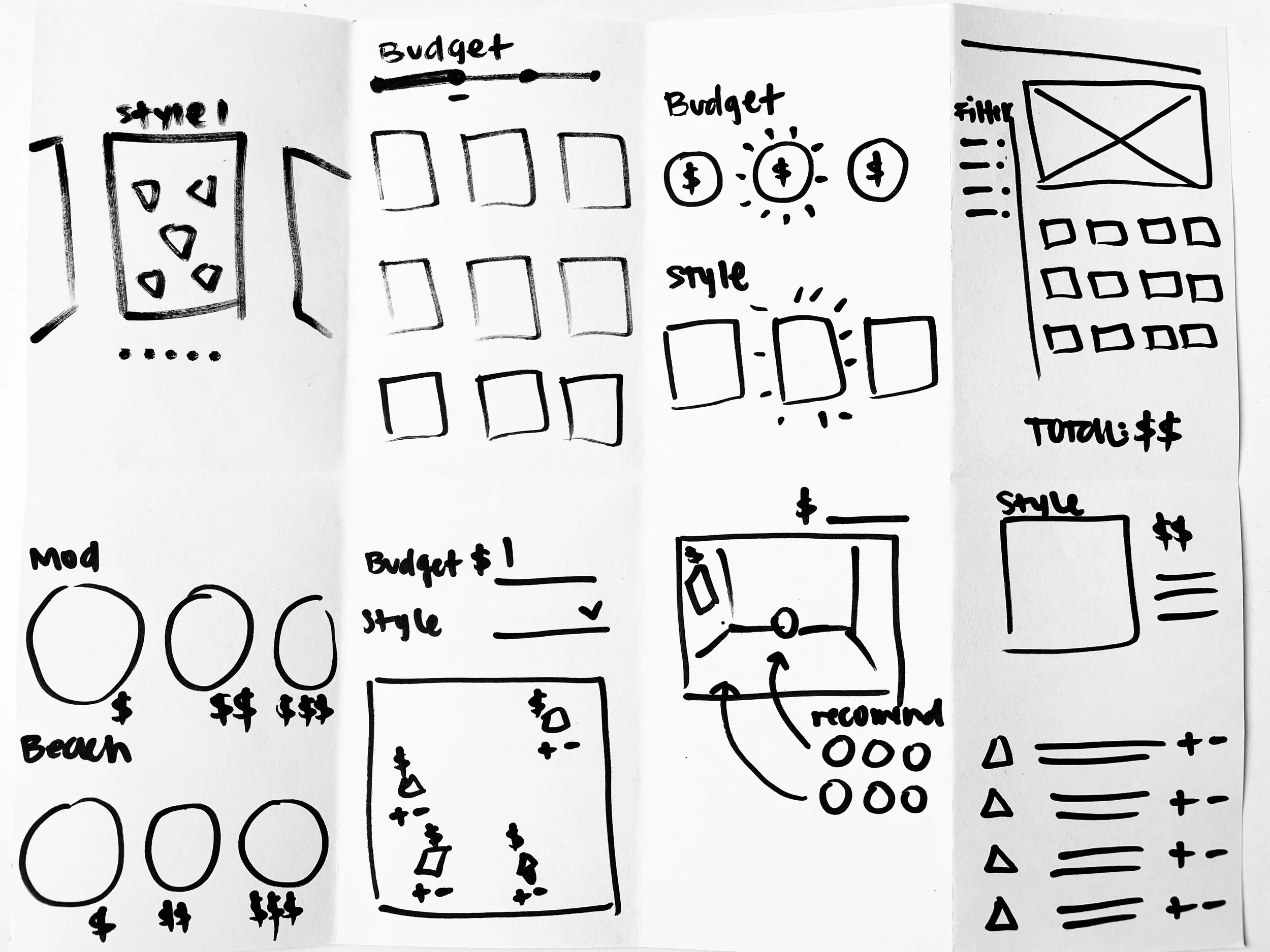
Crazy 8s
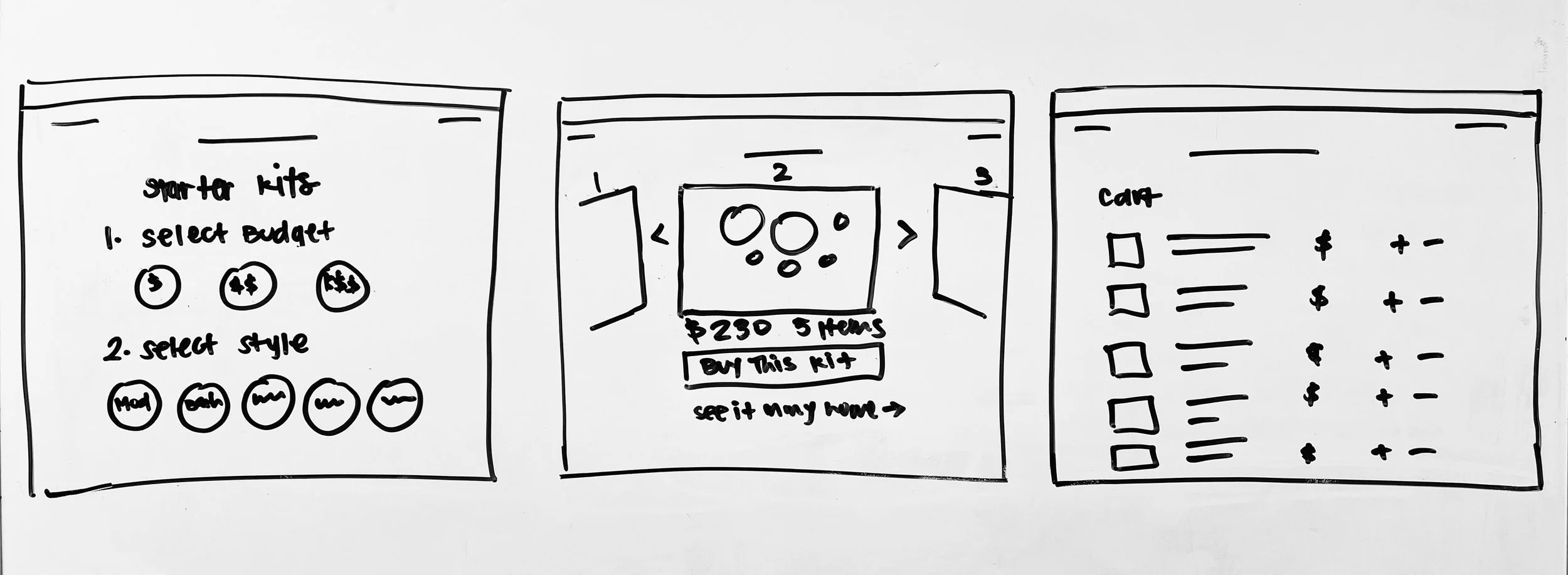
Since budget and style are priorities for the user I chose to sketch out various ways of selecting those options and getting back product results.
3-Panel Board
The most critical screens are the ones where the user is selecting their preferences and getting back product results. I chose to use Pottery Barn’s methodology of adding a full kit, but expanding the individual items out in the cart to allow for customizations.
DESIGN SPRINT DAY 3 - DECIDE
Decide
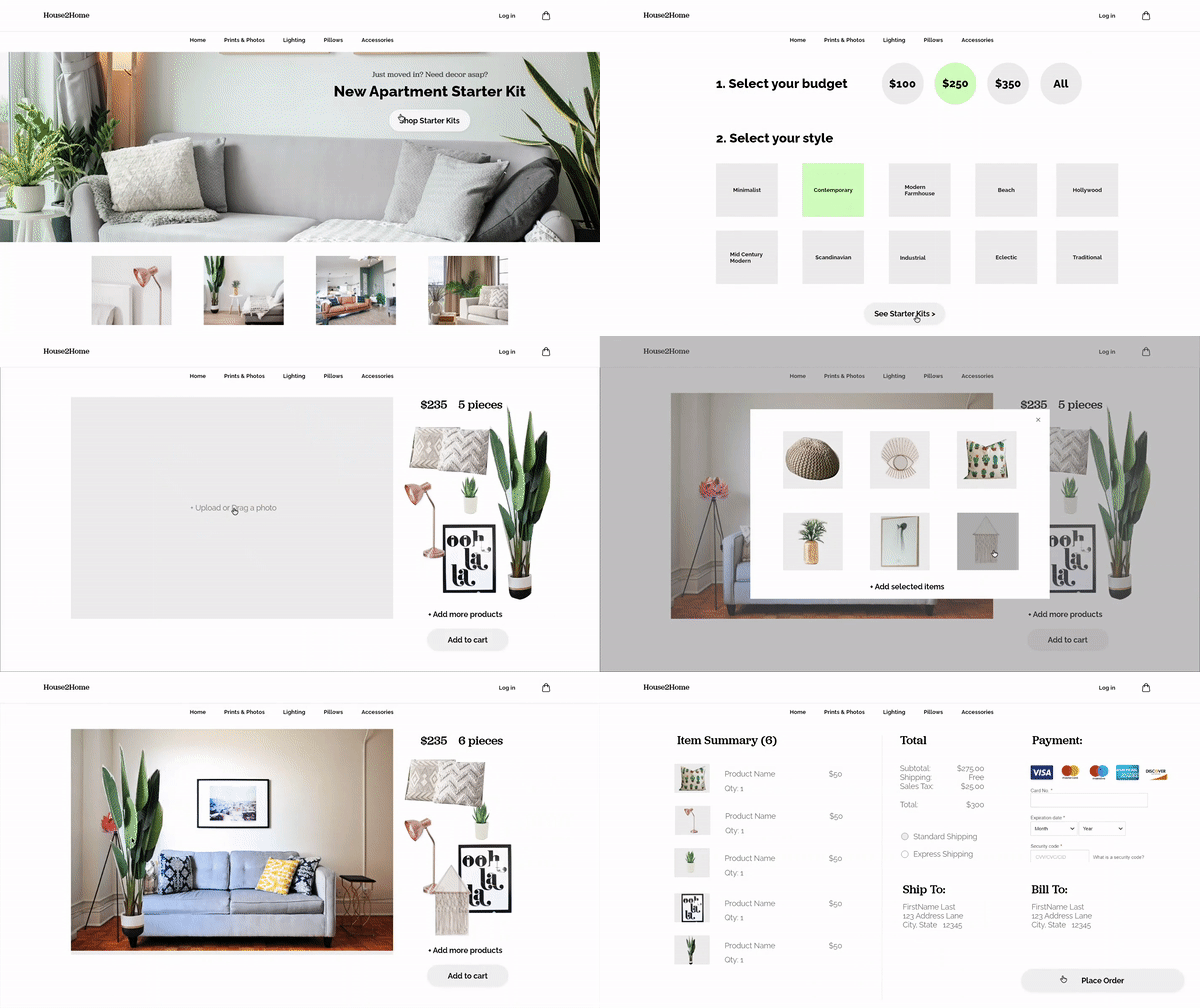
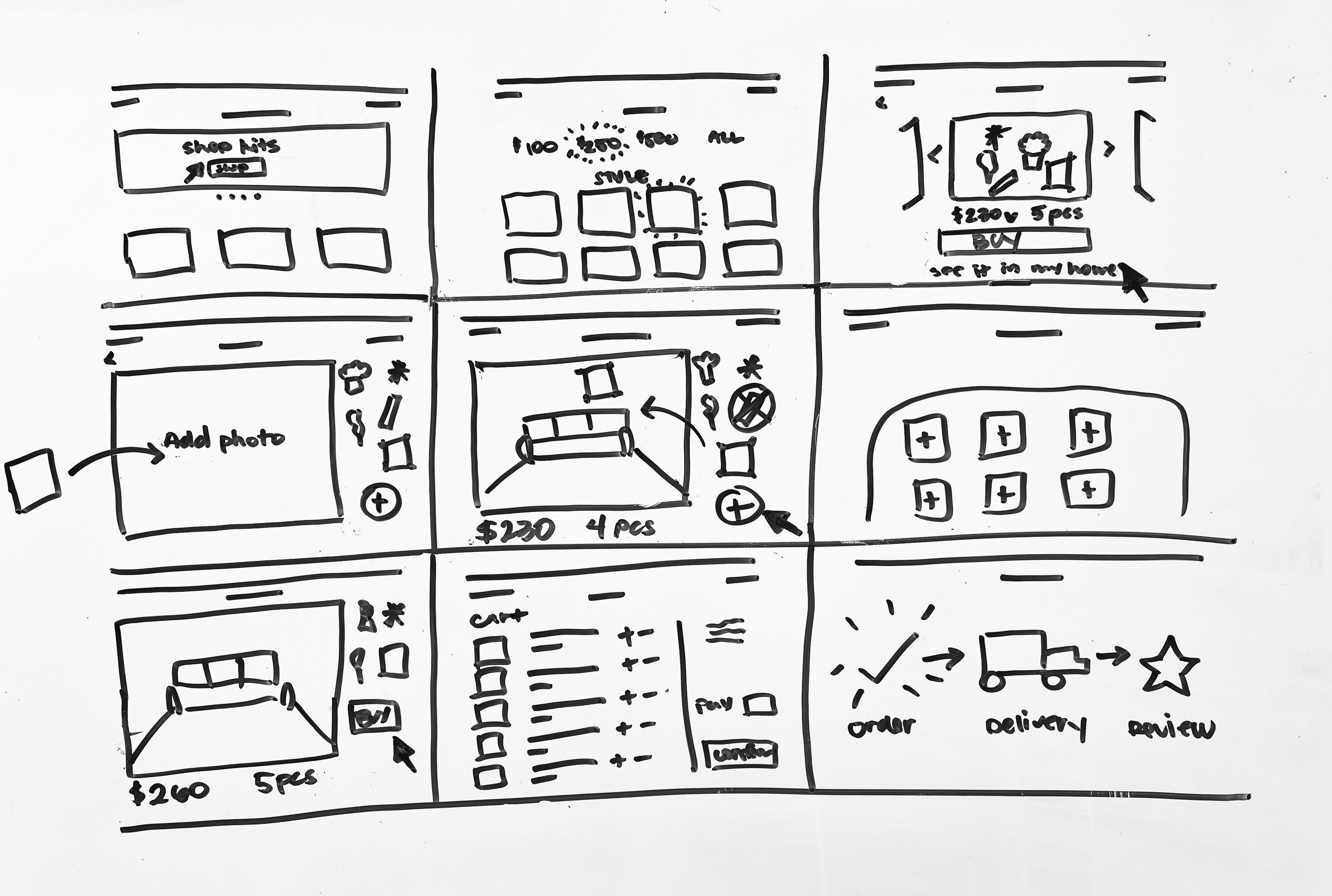
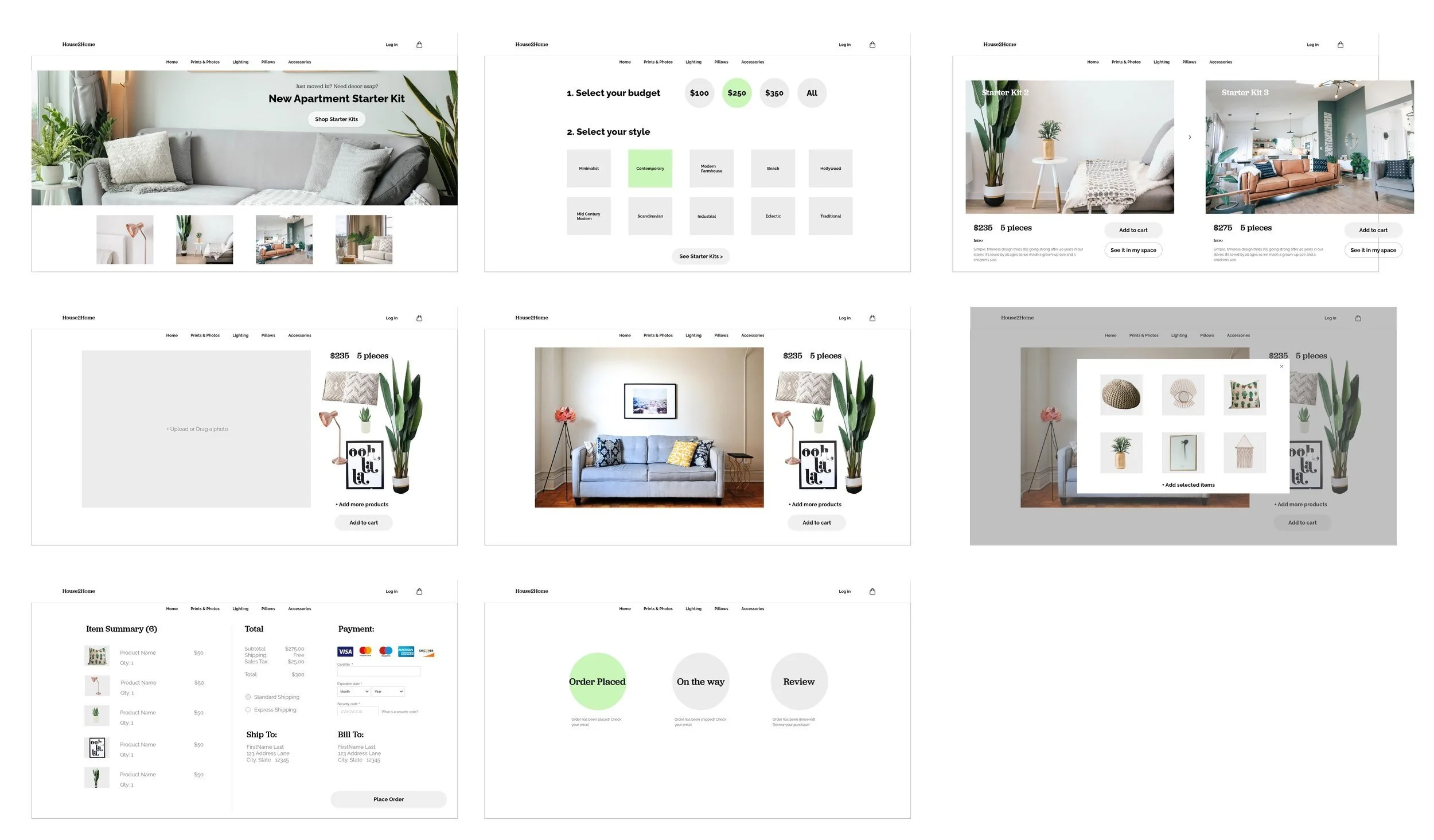
I decided on having the user select their budget and style preferences on one screen and then browsing 2-3 kits on a second screen in a large lifestyle gallery display. This would reduce choice overload and minimize the overwhelming feelings users can experience.
I added the secondary goal of making sure the purchase matches their existing decor by allowing them to upload a photo and add the items into that photo. Since this is on desktop, the full AR experience (like Ikea) may not be possible but will still give an idea as to how the items would look in their space.
DESIGN SPRINT DAY 4 - PROTOTYPE
Prototype
DESIGN SPRINT DAY 5 - TEST
Testing Goals
Can users test the items in their own space?
Is this the best way for users to enter their preferences?
Are they able to find ways to customize the kit if needed?
I recruited five participants for testing the prototype. They had recently moved into a new home, looking to redecorate their dorm, or simply enjoyed home decor. Users were able to successfully add to cart and customize the kit if necessary. They also really enjoyed adding items into their own space.
Observations:
Budget Option: The prototype only allows for selecting $100 or $250, and having given each user a $200 budget left them choosing the $100 price point. This means they would miss out on options that were $100-$200. Also some users wanted to select both the $100 and $250 options.
Style Option: Users wanted to browse all the different styles.
Uploading a photo: Users showed some hesitation on where to click to upload an image.
Adding items to photo: Users loved this feature and wanted to continue using it, but because of the limitations of the prototype I had to cut that feature short. They expressed confidence in the choice to purchase a kit after seeing how it would look in their space.
CONCLUSION
OUTCOME
Next steps would include testing out another way to input budget preferences to make sure users don’t miss out on any options by getting as close to their budget as possible. Also, since users enjoyed using the feature where they add new products into their existing space, I would recommend refining that experience.